
Do Blog Posts Still Bring SEO Traffic in 2025?

Do blog posts still bring SEO traffic in 2025 – digital illustration with charts and content icons

Let’s put this question to rest—yes, blog posts still bring SEO traffic in 2025. In fact, they’re still one of the most powerful ways to attract organic, long-term visitors to your website or offer.

But the blogging game has changed. It’s no longer about keyword-stuffing or cranking out shallow 300-word blurbs. Google now prioritizes content that’s genuinely helpful, well-formatted, and written for humans first.

Why Blogs Still Matter

Search engines like Google are always looking for content that answers a user’s question. Blog posts are a perfect format for that. When someone types in “how to drive traffic without ads” or “best affiliate programs for beginners,” blog posts show up first.

That’s where you win—by targeting those questions with content that actually delivers.

What’s Changed Since the Early Days

Back in the day, you could slap a few keywords into a post, hit publish, and hope for traffic. Not anymore. Today, Google expects:

  • ✅ Structured content with headings and bullet points
  • ✅ Real solutions, not vague fluff
  • ✅ Unique insights and examples
  • ✅ Good formatting and mobile-friendly design

If your blog delivers that, you can still rank—and keep ranking for years.

How a Single Post Can Drive Traffic for Years

One well-optimized blog post can pull in traffic long after it’s published. That’s the power of evergreen content.

Let’s say you write a post about “free traffic tools for new affiliate marketers.” If it answers the question better than anything else out there, Google may rank it on page one. That means clicks—every day, for months or even years.

That’s the kind of content Google loves—and rewards.

What Makes a Blog Post SEO-Ready in 2025?

  • Target a long-tail keyword people are actively searching for
  • Use headers (H2s, H3s) to structure your content
  • Break up text with bullet points and short paragraphs
  • Add visuals or video when possible
  • End with a clear CTA (opt-in, share, click, etc.)

You don’t need to write a 5,000-word essay. But you do need to create real value.

Lazy Blogging Is Dead. Value Blogging Wins.

Anyone can publish a post. But few go the extra step to add examples, custom graphics, or original takes. That’s how you stand out in 2025.

Instead of publishing often, focus on publishing better. One high-quality post per week can outperform five low-effort ones.

Final Thoughts

Blogging isn’t dead—it’s just evolved. If you create helpful, well-structured posts that solve problems, you’ll still earn traffic, leads, and sales.

Want to see how I structure blog posts that rank? Check out more of the 104 Free Advertising Questions series at ForgedSite.com and grab some ideas you can swipe for your own content.

Want step-by-step help building your own online business? Check out my favorite platform below.

Creating Shareable Content for Natural Links

Creating shareable content that naturally earns backlinks
Create Shareable Content That Earns Natural Backlinks

Disclosure: This post may contain affiliate links, which means we may earn a small commission if you make a purchase through them. This comes at no extra cost to you. We only recommend tools and services we genuinely trust.

Create Shareable Content That Earns Natural Backlinks

If you’re tired of chasing backlinks one by one, it’s time to flip the script. Instead of asking for links — create content people want to link to. This is called earning natural backlinks, and it’s one of the most sustainable SEO strategies out there.

What Is Shareable Content?

Shareable content is any piece of content so helpful, entertaining, or inspiring that people want to post it on social media, link to it in their blogs, or pass it along to others in their industry.

It can be:

  • In-depth how-to guides
  • Original research or data
  • Infographics and visual explainers
  • Tools and templates
  • Controversial or opinion-based pieces
  • Funny or ultra-relatable content

Why It Works

When people link to your content voluntarily, it tells search engines, “This page has real value.” That means more trust, more traffic, and higher rankings — all without begging for backlinks.

How to Make Your Content Link-Worthy

  • Use original insights: Don’t regurgitate what everyone else says. Add your own spin or experience.
  • Include quotable stats or lines: These get cited in other blog posts and articles.
  • Design matters: Use clean visuals, bold headers, and images that make your post stand out.
  • Promote it: Even the best content needs eyeballs. Share it in forums, on social, and in newsletters.

Tools to Help You

Bonus Tip: Create Something Evergreen

Timeless content earns links for years. Think checklists, resource pages, or beginner guides that stay relevant even as trends change.

Final Thoughts

When you shift from link building to link earning, everything changes. You stop fighting for scraps and start building a content engine that fuels itself. Create something remarkable — and the links will follow.

Want step-by-step help building your own online business? Check out my favorite platform below.

Forum Marketing for Backlinks

Building backlinks using forum signature links
Forum Marketing for Backlinks: Still Worth It in 2025?

Disclosure: This post may contain affiliate links, which means we may earn a small commission if you make a purchase through them. This comes at no extra cost to you. We only recommend tools and services we genuinely trust.

Forum Marketing for Backlinks: Still Worth It in 2025?

Forum marketing may sound like a relic from the early days of the internet, but when done right, it’s still a powerful — and highly targeted — way to build backlinks, drive traffic, and establish credibility.

Why Forums Still Matter

Unlike most modern social platforms, forums are often hyper-focused communities. That means:

  • You can reach people actively searching for solutions in your niche.
  • Helpful posts get indexed by search engines — and can stay visible for years.
  • Strategic backlinks in forum signatures or posts can drive long-term SEO value.

Where to Find Good Forums

Look for forums that are:

  • Actively moderated
  • Have regular activity (new threads daily or weekly)
  • Allow signature links or profile backlinks
  • Focused on your niche or related verticals

Places like Warrior Forum, Digital Point, Reddit niche subs, and NicheHacks communities are a great place to start. Also, search using Google like:

“your niche” + forum or “your topic” + discussion board

How to Participate Without Looking Spammy

The key to forum marketing is adding value first. Follow these guidelines:

  • Read the rules before posting — every forum has its own culture.
  • Start by replying to other threads with thoughtful advice.
  • Use your forum signature (if allowed) to include a clean, non-pushy link back to your site.
  • Eventually create your own threads that spark discussion and link naturally to your content.

Backlink Strategy: Forum Signatures

Most forums let you include a “signature” — a small block of text or links that appear under every post you make. This is where you can include a link to your homepage, blog, or lead magnet.

Keep it short, relevant, and honest. Example:

Need help building your first email list? Check this out

Don’t Just Drop Links — Be Useful

The worst thing you can do on a forum is show up, drop a link, and vanish. That’s a fast-track to being banned (or ignored). Think of forum marketing as relationship SEO — the more value you give, the more links you’ll earn naturally.

Final Thoughts

Forum marketing isn’t dead — it just evolved. Used correctly, it’s a smart, sustainable way to build high-quality backlinks while growing your reputation in the process.

Want step-by-step help building your own online business? Check out my favorite platform below.

“Social Media as a Backlink Strategy”

Using social media platforms to drive backlinks to a website
Using Social Media to Build Backlinks and SEO Authority

Disclosure: This post may contain affiliate links, which means we may earn a small commission if you make a purchase through them. This comes at no extra cost to you. We only recommend tools and services we genuinely trust.

Using Social Media to Build Backlinks and SEO Authority

Most people think of social media as a place for cat videos, trending memes, and mindless scrolling. But smart marketers know it’s also a powerful tool for earning backlinks, driving SEO, and building brand authority.

Do Social Media Links Count for SEO?

Technically, most social media links are nofollow, which means they don’t directly pass link juice. But that doesn’t mean they’re useless — far from it.

  • They still drive traffic — which increases engagement, time-on-site, and signals to Google that your content matters.
  • They encourage sharing — which can lead to natural backlinks from bloggers, journalists, and niche site owners.
  • They build visibility — which increases the chances of earning links from content curators and influencers.

Best Platforms for Backlink Benefits

  • X (Twitter): Great for content syndication, hashtags, and finding niche influencers.
  • Facebook: Personal profile and business page posts can rank in search and link back to your content.
  • Pinterest: Image pins link directly to your site and can go viral over time.
  • LinkedIn: Great for B2B backlinks — post blog articles and link to your site in the comments or article body.
  • Reddit & Quora: Build karma, drop links where they make sense, and enjoy evergreen traffic if done right.

Tips to Maximize Your Social Backlink Potential

  • Share your blog posts across all active platforms with a call to action.
  • Use relevant hashtags to increase reach and discoverability.
  • Join groups and communities where your audience hangs out — add value first, then drop links.
  • Repurpose content for native social formats (short posts, reels, image quotes).

Drive Organic Backlinks by Being Everywhere

The more your content is seen, the more chances others will link to it. This is called “link earning” — and social media accelerates that process.

It’s not about gaming the algorithm. It’s about showing up, being helpful, and staying visible.

Tool Spotlight: LeadsLeap Social Reviews

If you’re promoting affiliate programs or online tools, LeadsLeap’s Social Review system is an underrated gem. Create value-packed reviews, link them to your content, and get traffic and backlinks at the same time.

Final Word

Social media backlinks may not carry the same weight as editorial links from big blogs — but they build authority, amplify your content, and increase backlink potential across the board.


Homepage Review Checklist

  • ✅ Clear, valuable content
  • ✅ Eye-catching visual design
  • ✅ Easy-to-use navigation
  • ✅ Strong calls to action (CTAs)
  • ✅ Fully mobile-responsive
  • ✅ Fast loading speed
  • ✅ SEO-optimized structure
  • ✅ Trust elements (SSL, contact info, about page)
  • ✅ Legal compliance (privacy policy, terms)
  • ✅ Analytics tracking in place

Want step-by-step help building your own online business? Check out my favorite platform below.

“Using Directories to Boost SEO”

Submitting a website to online directories for backlinks
Using Directories to Boost SEO and Backlinks

Disclosure: This post may contain affiliate links, which means we may earn a small commission if you make a purchase through them. This comes at no extra cost to you. We only recommend tools and services we genuinely trust.

Using Directories to Boost SEO and Backlinks

Directory backlinks often get overlooked in modern SEO discussions — but they still play an important role in creating a diverse and credible backlink profile. If you know how to choose the right ones, directories can help boost your site’s visibility and authority.

What Are Directory Backlinks?

Directory backlinks come from online listings or “directories” that categorize businesses, blogs, or websites based on niche, region, or service. Think of them like online Yellow Pages with clickable links. Submitting your site to the right directories earns you a legitimate backlink and can drive targeted traffic.

Why Directories Still Matter

  • Local SEO boost: Submitting to regional or niche-specific directories helps with local visibility.
  • Credibility: High-quality directories act as trust signals for search engines.
  • Referral traffic: People still browse directories when searching for solutions — especially in certain industries.
  • Foundational links: They provide a good mix of nofollow and dofollow links from established domains.

How to Choose the Right Directories

Not all directories are created equal. Stick with trusted, manually reviewed platforms. Avoid anything that screams “link farm.” Here are some examples to consider:

How to Submit Your Site Properly

Before submitting, make sure your info is consistent. This includes:

  • Business/blog name
  • Short description (SEO-friendly)
  • Website URL
  • Social media links
  • Contact information

Tip: Use a text file or spreadsheet to keep your submissions consistent and track which directories you’ve submitted to.

Directories to Avoid

Run away from anything that:

  • Guarantees hundreds of links for a low fee
  • Accepts every submission instantly
  • Has broken layouts or excessive outbound links
  • Isn’t indexed in Google

If it looks shady, it probably is. Google’s smarter than ever when it comes to sniffing out low-quality links.

Combine Directories with Other Backlink Strategies

Directories are great for laying a foundation, but they work best when combined with tactics like guest blogging, social media promotion, and content syndication.

Final Word

Directory backlinks won’t skyrocket you to the top of Google overnight — but they add credibility, diversify your link profile, and help search engines validate your site’s existence. In short: they’re still worth your time.


Homepage Review Checklist

  • ✅ Clear, valuable content
  • ✅ Eye-catching visual design
  • ✅ Easy-to-use navigation
  • ✅ Strong calls to action (CTAs)
  • ✅ Fully mobile-responsive
  • ✅ Fast loading speed
  • ✅ SEO-optimized structure
  • ✅ Trust elements (SSL, contact info, about page)
  • ✅ Legal compliance (privacy policy, terms)
  • ✅ Analytics tracking in place

Want step-by-step help building your own online business? Check out my favorite platform below.

“Building Backlinks with Guest Blogging”

Guest blogging to build backlinks for SEO
Guest Blogging for Backlinks: A Smart SEO Strategy

Disclosure: This post may contain affiliate links, which means we may earn a small commission if you make a purchase through them. This comes at no extra cost to you. We only recommend tools and services we genuinely trust.

Guest Blogging for Backlinks: A Smart SEO Strategy

Backlinking doesn’t have to feel like begging for attention. One of the most respected and reliable ways to earn links — while building your brand at the same time — is guest blogging.

What Is Guest Blogging?

Guest blogging is when you write content for someone else’s blog or website. In exchange, you typically receive a link back to your own site — either in your bio or within the content itself. This isn’t just an SEO tactic — it’s a relationship-builder and authority-booster rolled into one.

Why It Works for SEO

  • Contextual backlinks placed within relevant content are favored by search engines.
  • It diversifies your backlink profile naturally.
  • Posts on established sites help pass link equity and increase your domain authority.

Finding the Right Guest Post Opportunities

Target blogs that match your niche or have an audience that aligns with your own. Use Google search operators like:

  • keyword + "write for us"
  • keyword + "guest post guidelines"
  • keyword + "submit an article"

For example, if you’re in affiliate marketing: "affiliate marketing" + "write for us"

Pitching Like a Pro

When reaching out, make your pitch personal and professional:

  • Address the blog owner by name.
  • Include 2–3 topic ideas (with SEO potential).
  • Link to a few of your best writing samples.

Always read their guidelines. Ignoring them is the fastest way to get your email deleted.

Writing Posts That Earn Backlinks

Even when writing for someone else’s blog, your goal is to add value. Share useful tips, data, and insight — make the host look good for publishing you. Within the post or author bio, you can include one or two links to your site (where relevant).

Watch Out for Spammy Sites

If a site accepts anything and everything for a price, Google may already have its number. Stick to quality sites with real traffic, comments, and a consistent publishing schedule.

Guest Blogging Builds More Than Links

You’re not just gaining backlinks — you’re building relationships, increasing referral traffic, and improving brand awareness. A single well-placed guest post can lead to new partnerships, email subscribers, and customers.

Tools to Help You Track Your Results

Use tools like SE Ranking or Ahrefs to track the backlinks you’ve earned and monitor their impact on your rankings.

Internal Resource:

Final Thoughts

If you’re serious about SEO, guest blogging should be part of your strategy. Not only does it build high-quality backlinks, it opens doors that cold outreach never could.


Homepage Review Checklist

  • ✅ Clear, valuable content
  • ✅ Eye-catching visual design
  • ✅ Easy-to-use navigation
  • ✅ Strong calls to action (CTAs)
  • ✅ Fully mobile-responsive
  • ✅ Fast loading speed
  • ✅ SEO-optimized structure
  • ✅ Trust elements (SSL, contact info, about page)
  • ✅ Legal compliance (privacy policy, terms)
  • ✅ Analytics tracking in place

Want step-by-step help building your own online business? Check out my favorite platform below.

How Do I Find Keywords With High Traffic and Low Competition?

How to find high-traffic low-competition keywords – SEO strategy blog graphic

This might be the #1 SEO superpower: finding keywords people are actually searching for—without getting buried under a mountain of competition. If you’re just starting out, this is how you win traffic battles before they even begin.

Start With Long-Tail Keywords

Instead of going after one-word monsters like “yoga” or “email marketing,” look for long-tail keywords—specific phrases that usually have 3–5 words and real user intent.

Example:

  • ❌ yoga mat
  • ✅ best budget yoga mat for beginners

Long-tail keywords are easier to rank for, especially if your site is new. They’re also more likely to convert, since they reflect specific questions or buying intent.

Use Free Tools to Find Keyword Data

🔍 Ubersuggest

Ubersuggest gives you search volume, SEO difficulty, and content ideas. Type in a seed keyword and look for terms with:

  • ✅ At least 100 monthly searches
  • ✅ Low to moderate SEO difficulty

These are your sweet spots—searches that are active but not yet saturated.

📈 Google Trends

Google Trends helps you identify rising topics. If you catch a keyword early while it’s gaining popularity, you can rank before the competition shows up.

🙋 Google “People Also Ask”

Search your topic on Google and scroll down to the “People Also Ask” section. These are real questions people type into search—perfect for blog titles and subheadings. Answering these directly can give you rich snippet visibility too.

My Favorite Tool: Jaaxy

If you want to get serious about keyword research without a massive learning curve, check out Jaaxy.

It’s built specifically for affiliate marketers and bloggers. With Jaaxy, you can:

  • ✔️ Get real-time keyword competition and traffic estimates
  • ✔️ See domain availability for niche ideas
  • ✔️ Save keyword lists and track ranking progress

Unlike many keyword tools, Jaaxy doesn’t overwhelm you with data—it just gives you what you need to rank.

What to Look For

When researching keywords, balance is the name of the game. Here’s your checklist:

  • Search Volume: Aim for 100–1,000 monthly searches
  • Competition: Look for low or moderate SEO difficulty
  • User Intent: Is someone looking to learn, buy, or solve a problem?

Final Thoughts

You don’t need to be an SEO expert to find great keywords. You just need a few smart tools and a strategy that focuses on real people—not search engine trickery.

Long-tail keywords are the gateway to steady, free traffic. And when paired with smart content and a little consistency, they become your quiet traffic workhorses.

Want to discover high-traffic, low-competition keywords that actually rank? I use Jaaxy to simplify everything.

For more free traffic strategies that work, explore the full 104 Free Advertising Questions series at ForgedSite.com.

Want step-by-step help building your own online business? Check out my favorite platform below.

What Are the Best Free SEO Tools for Beginners?

What are the best free SEO tools for beginners – blog graphic with magnifying glass and bar graph

Getting started with SEO doesn’t mean you need to drop $99/month on a fancy platform. In fact, some of the best SEO tools out there are completely free—and perfect for beginners who want to build traffic without breaking the bank.

Here are three beginner-friendly tools that can help you choose the right keywords, write content people are actually searching for, and track your performance—all without spending a dime.

1. Ubersuggest (by Neil Patel)

Ubersuggest is one of the most beginner-friendly SEO tools out there. It helps you:

  • Find keywords and search volume
  • See how hard it is to rank for a specific phrase
  • Spy on what your competitors are ranking for

You can enter a keyword like “free traffic tools” or “affiliate SEO” and get a full list of related terms. You’ll also see estimated monthly search volume and SEO difficulty, so you know what to target—even if your site is brand new.

Pro tip: Look for keywords with low competition and moderate search volume. These are perfect for ranking faster when you’re just getting started.

2. Google Search Console

Google Search Console is the most important SEO tool that almost no beginner uses—yet it’s 100% free and gives you insider info straight from Google.

Once you verify your website, you’ll be able to see:

  • Which keywords you’re showing up for
  • How many people are clicking on your content
  • Where your pages rank in search results

Search Console also alerts you to any site errors or indexing issues. If Google has trouble crawling your page, this is where you’ll find out.

Set it up as soon as your site goes live. It’ll help you track your progress and see what’s working.

3. AnswerThePublic

AnswerThePublic helps you discover the questions real people are asking online—so you can create content they’re actually searching for.

Just type in a keyword like “email marketing” or “seo for beginners,” and it’ll give you a massive list of questions, comparisons, and related phrases people are typing into search engines.

This is gold when you’re planning blog posts, YouTube videos, or social media content. The more your content answers specific questions, the more likely it is to rank in search results.

Bonus Tip: Don’t Overwhelm Yourself

You don’t need a hundred tools. In fact, these three are more than enough to get you started:

  • Use Ubersuggest to plan your keywords
  • Use AnswerThePublic to get content ideas
  • Use Search Console to measure your results

They’re powerful, simple, and totally free. No credit card, no trial periods, no gimmicks.

Affiliate Opportunity?

Currently, these three tools don’t offer traditional affiliate programs (at least not public ones). However, if you ever promote SEO-related products like:

  • LeadsLeap’s link tracker and page builder
  • Wealthy Affiliate (great SEO training)
  • Keyword research tools with affiliate programs like Mangools or SE Ranking

…then this post could be a perfect lead-in. You can always revisit this later with an upsell CTA or link a related product at the bottom.

Final Thoughts

You don’t need to spend a fortune to get started with SEO. With just a few free tools, you can build a strong foundation, find the right keywords, and start showing up in Google results.

Want more simple, no-cost strategies for getting traffic? Check out the full 104 Free Advertising Questions series at ForgedSite.com.

Want step-by-step help building your own online business? Check out my favorite platform below.
How Long Does SEO Take to Start Bringing in Free Traffic?

How long does SEO take to bring in free traffic – flat design blog graphic

One of the most common questions new website owners ask is: “How long does SEO take to work?” And the honest answer is: it depends. But there are some clear patterns you can expect—especially if you’re playing the long game.

The Usual SEO Timeline

For most beginners, SEO starts to bring in traffic within 3 to 6 months. That means you’ll start to see your pages indexed, your rankings improve, and the occasional click turning into a steady trickle of visitors.

If you’re in a low-competition niche, you might get results faster. If you’re going after highly competitive keywords in a crowded space? It could take longer—sometimes closer to a year.

Factors That Affect SEO Speed

Several key factors determine how quickly SEO brings results:

  • Your niche: Less competition usually means faster results.
  • Content quality: Google favors helpful, original, and well-structured content.
  • Domain age and trust: Newer sites take longer to earn Google’s confidence.
  • Backlinks: If other sites link to your content, Google sees that as a vote of trust.
  • Consistency: The more regularly you post, the faster you grow.

SEO vs. Social Media and Paid Ads

SEO isn’t like flipping a switch. Social media can give you quick bursts of traffic. Paid ads can send instant visitors. But SEO? It’s more like planting a tree. You water it, give it sunlight, and wait. And when it starts growing—it keeps going.

One well-optimized blog post can bring in traffic for months or even years. That’s the real beauty of SEO. It compounds over time without eating into your ad budget.

Tips to Get SEO Working Faster

  • Target long-tail keywords: These have less competition and are easier to rank for.
  • Post consistently: Even 1–2 posts per week adds up fast.
  • Use internal links: Link your content together so Google sees a connected structure.
  • Submit your sitemap: Use Google Search Console to tell Google what to index.
  • Focus on value: Don’t just stuff keywords—actually answer questions and help the reader.

Be Patient. Stay Consistent.

If your site is new, don’t get discouraged. Google takes time to crawl, index, and trust your content. That trust is earned over time—not overnight.

The key is to keep showing up. Publish great content. Optimize it. Track your progress. And soon, your SEO traffic will snowball into one of your biggest free traffic sources.

Final Thoughts

SEO is a slow burn—but it works. Unlike paid ads or viral posts that fizzle out, SEO keeps sending you traffic long after you hit publish. It might take 3–6 months to gain momentum, but once it does, it runs 24/7 without draining your wallet.

For more no-fluff tips on free traffic, check out the full 104 Free Advertising Questions series at ForgedSite.com.

Want step-by-step help building your own online business? Check out my favorite platform below.

The Best Tools to Monitor Your Backlinks

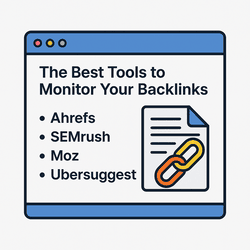
Infographic comparing the best tools to monitor backlinks for SEO

This post may contain affiliate links. If you click a link and make a purchase, we may earn a small commission at no extra cost to you. We only recommend tools we use and trust.

Once you’ve started building backlinks, it’s time to track what’s working—and what might be hurting your SEO. Backlinks aren’t just about quantity. You need to know which links help you, which are toxic, and where opportunities are hiding.

Here are some of the best tools (free and paid) that I recommend for monitoring your backlink profile and keeping your SEO in good shape.

🔍 1. Google Search Console (Free)

This one’s a no-brainer. Google Search Console shows you:

  • Which domains are linking to your site
  • How many links each page is getting
  • Your most linked-to content

It’s free, accurate (it’s from Google), and a great starting point if you’re on a budget.

🧰 2. SE Ranking

SE Ranking is an all-in-one SEO tool that’s beginner-friendly and powerful. Their backlink checker gives you:

  • New and lost links over time
  • Anchor text analysis
  • Toxic link detection
  • Domain authority trends

If you want more insight than Search Console gives you—but without the overwhelm of something like Ahrefs—this is a solid pick. I use it regularly.

🔗 3. Ahrefs

Ahrefs is the industry standard for backlink analysis. It’s powerful but pricey. If you’re managing multiple sites or competing in tough niches, it gives you:

  • Extensive backlink tracking
  • Referring domain reports
  • Historical link data
  • Content explorer for link-building outreach

Downside? The cost. For many bloggers and solopreneurs, it’s overkill—but worth it if you’re going all in.

🔎 4. Ubersuggest

Neil Patel’s Ubersuggest has a free version that’s decent for tracking a few backlinks, checking domain scores, and spotting link-building opportunities. Not as powerful as SE Ranking or Ahrefs, but very friendly for beginners.

💡 Visual Snapshot

Infographic: Best backlink monitoring tools for SEO

A quick visual of the top backlink tools—free and paid options for smarter SEO tracking.

⚙️ Final Thoughts

You don’t need to spend hundreds a month to track your backlinks—but you do need to stay informed. Start with Google Search Console. Then level up with a tool like SE Ranking as you grow.

Don’t just build backlinks—monitor them. A few bad links can drag down your authority. A few good ones can lift your entire site.

Want step-by-step help building your own online business?

Wealthy Affiliate - Start Your Online Business